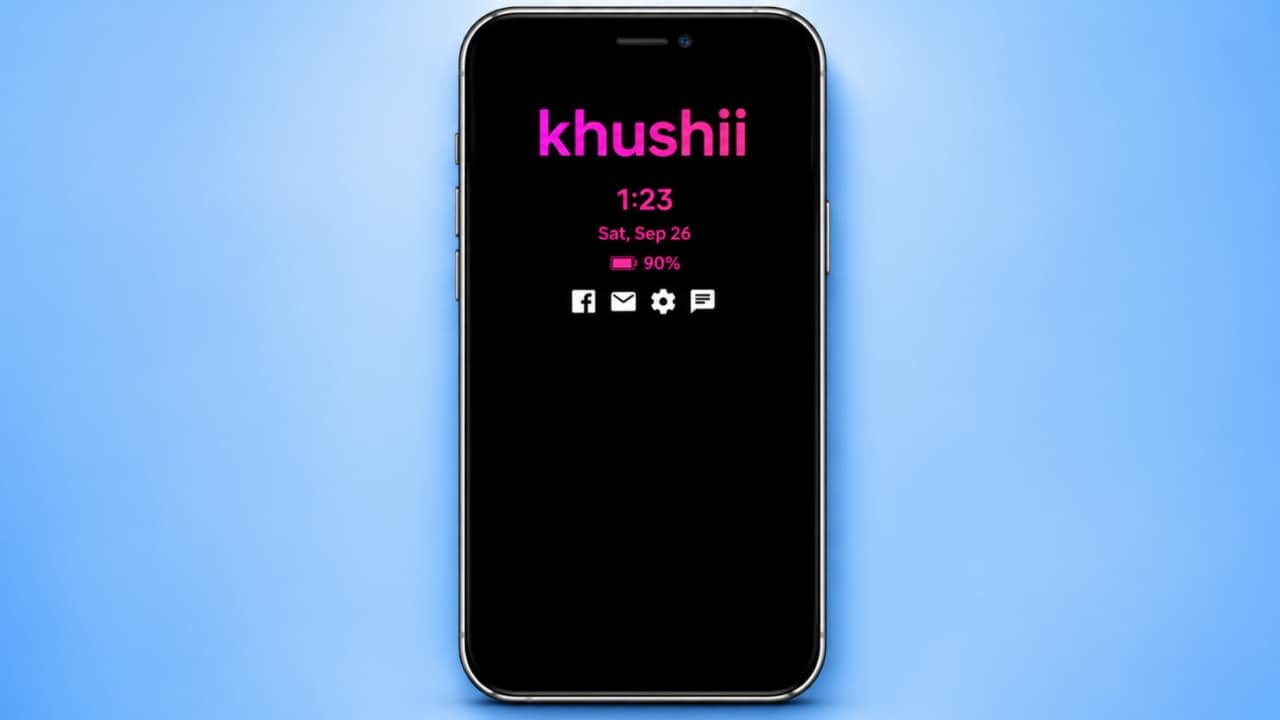
Always on Display XPath How to use
Do you want to make your Android smartphone’s lock screen more attractive and useful? Do you want to display a digital clock, battery percentage, weather updates, notifications, music information, and beautiful wallpapers without opening different applications? If yes, Always on Display XPath is an interesting application you can try.Always on Display XPath allows you to customize your smartphone’s lock screen with different information and visual effects. You can choose what information appears on your screen and customize its font, color, background, and layout.In this article, we will explain what Always on Display XPath is, its main features, how to download it, and how to use it step by step.
What Is Always on Display XPath App?
Always on Display XPath is an Android personalization application developed by AODLink. It helps users display useful information on their smartphone’s lock screen and home screen.Unlike a basic Always On Display that mainly shows the time and date, this application offers several additional customization options.You can display battery status, weather information, notification icons, calendar events, music details, RSS news, photos, and selected information from websites.It also supports JSON API data, allowing users to display selected information from compatible online data sources.
Main Features of Always on Display XPath
Let’s understand some of the interesting features of this application.
1. Digital Clock and Date
The application provides different clock styles that you can display on your lock screen.You can customize the font size, font style, color, and appearance. Some clock styles also support different time zones.
2. Battery Percentage Display
You can display your smartphone’s battery percentage directly on the screen.The app also supports battery temperature and estimated remaining charging time, depending on device compatibility.
3. Weather Information
You can add weather information and forecasts to your display.The application supports manual location selection and automatic location-based weather settings.
4. Notification Display
Another useful feature is notification display.You can show supported notification icons, message titles, and action buttons on your screen.Review notification permissions carefully because enabling this feature may expose private message information on your lock screen.
5. Music Player Information
If you enjoy listening to music, you can display music information on your screen.
Supported information includes:
- Song name
- Album image
- Music playback information
- Volume control
6. Live Wallpaper and Video Wallpaper
You can select images or supported MP4 videos from your phone gallery and use them as display backgrounds.This allows you to create a more personalized appearance.
7. Custom Fonts and Colors
You can customize your display with different fonts, font sizes, text colors, background gradients, shadows, neon effects, and other visual styles.
8. Calendar and Events
The application supports calendar information, public holidays, and personal events.This can help you view important dates directly on your display.
9. Website Information Using XPath
One of the unique features is website information extraction.You can share a webpage URL from your browser with AOD XPath, select particular webpage information, and display the selected content on your screen.You can also configure the refresh interval for supported webpage information.
How to Download Always on Display XPath App
Follow these steps to install the application:
- Unlock your Android smartphone.
- Open the Google Play Store.
- Tap the search bar.
- Type Always on Display XPath.
- Find the application developed by AODLink.
- Check the application details.
- Tap the Install button.
- Wait for installation to complete.
- Open the application.
How to Use Always on Display XPath
After installing the application, follow these steps to create your customized display.
- Open Always on Display XPath.
- Explore the available settings.
- Select a basic display layout.
- Choose your preferred clock style.
- Adjust the clock font, size, and color.
- Add the battery percentage option.
- Select weather information if required.
- Add notification or calendar information if you want.
- Choose a background image or color.
- Preview your customized display.
- Save your settings.
- Activate the AOD display using the application’s instructions.
Your customized display should now show the selected information when the feature is active.The exact menu names may vary depending on the application version.
How to Change Always On Display Clock Style
If you want to change the clock design, follow these steps:
- Open the AOD XPath application.
- Go to the display settings.
- Find the clock or date section.
- Explore the available clock styles.
- Select your favorite design.
- Change the font size.
- Choose your preferred text color.
- Adjust the clock position.
- Save the changes.
You can experiment with different designs until you find a layout that is easy to read.
How to Set Your Own Photo as Display Wallpaper
You can also use your personal pictures as the display background.
- Open the application.
- Find the wallpaper or image section.
- Select an image from your phone gallery.
- Adjust its position and size.
- Select the supported display layout.
- Preview the image.
- Save your settings.
You can also explore supported video wallpaper options if you want an animated background.
How to Customize Display Layout
AOD XPath offers different layout arrangements, including horizontal lines, vertical edge layouts, hybrid layouts, and one- or two-column views.You can use these options to arrange the information according to your screen size.Start with a simple layout containing a clock, date, and battery percentage. After that, add weather, music information, or other elements if needed.
Is Always on Display XPath Free?
Always on Display XPath is available on Google Play with free features and in-app purchases.Some advanced customization options may require payment. Check the current application listing for updated pricing and premium feature details.
Important Things to Know
- Some features require additional permissions.
- Weather and online information may require an internet connection.
- Location access may be required for automatic weather information.
- Video wallpapers and frequent updates can increase battery consumption.
- Background operation may depend on your phone’s battery settings.
- Always review notification and location permissions before enabling them.