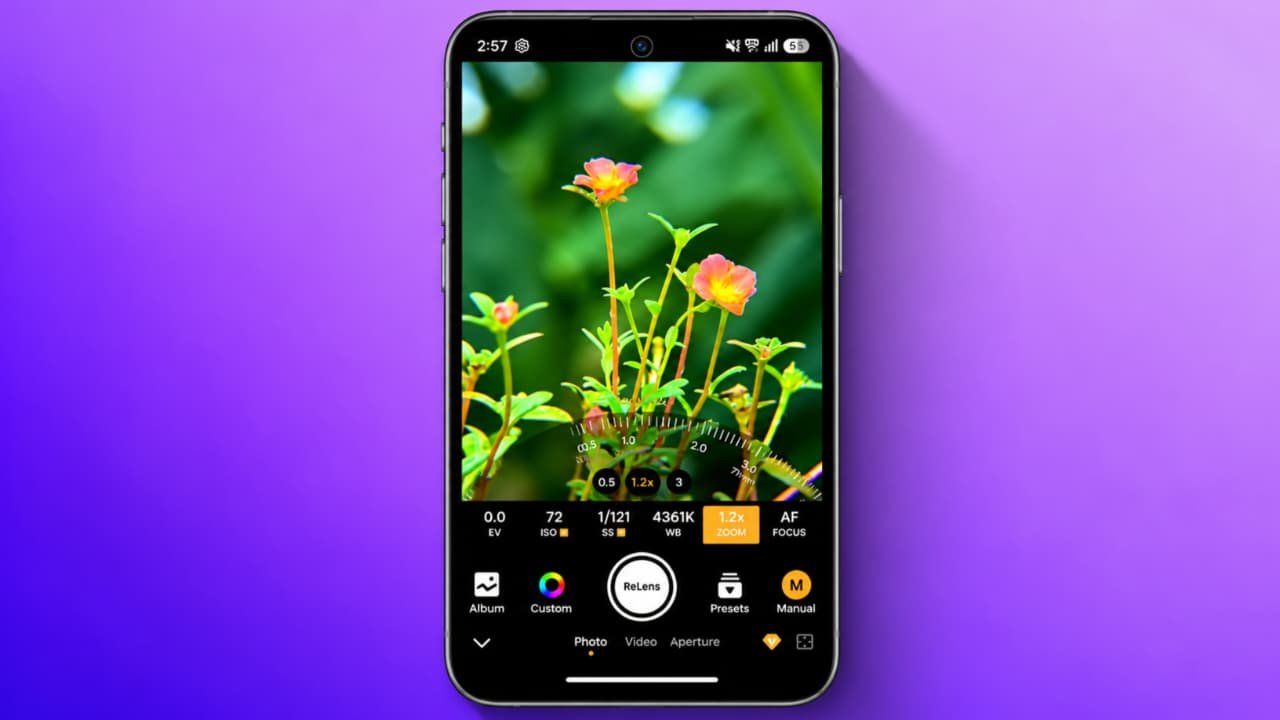
ReLens Camera-Focus & DSLR Blur How to use
In today’s digital world, everyone wants to capture professional-looking photos using their smartphones. Many people think that DSLR cameras are necessary to take beautiful portrait photos with a blurred background. However, you can create DSLR-style photos using your Android phone with the help of the ReLens Camera – Focus & DSLR Blur app. This application provides different photography and background blur features that help make your pictures look more professional.If you want to learn how to use ReLens Camera, how to apply DSLR blur effects, and how to adjust photo focus, this article will guide you step by step.
What Is ReLens Camera – Focus & DSLR Blur?
ReLens Camera is a photography and photo-editing application designed to help users create DSLR-style images using their smartphones. It offers features related to portrait photography, background blur, focus adjustment, and depth-of-field effects.The app can help you make the subject stand out while keeping the background softly blurred. This type of photography is commonly known as the Bokeh effect.You can use it for personal photos, portraits, social media pictures, and creative photography. Some features may require a premium subscription, depending on the app version.
Main Features of ReLens Camera App
Before learning how to use the application, let’s understand some of its useful features.
1. DSLR Background Blur
The DSLR blur feature helps you create a professional camera-style background effect. You can make the background look soft and keep the main subject more visible.
2. Focus Adjustment
With focus adjustment, you can control which part of your picture should appear sharp. This feature is useful when editing portrait photographs.
3. Bokeh Effects
Bokeh effects help create attractive background lighting effects. You can use different styles to give your photos a creative appearance.
4. Portrait Photography
The app includes portrait-related editing options that can help improve the overall appearance of your pictures.
5. Photo Editing Tools
Depending on the version, you may find additional editing options such as brightness, contrast, filters, and other image adjustments.
How to Download ReLens Camera App
If you want to use ReLens Camera on your Android smartphone, follow these steps.
-
First, open the Google Play Store on your mobile.
-
Tap on the search bar.
-
Type ReLens Camera – Focus & DSLR Blur.
-
Find the correct application in the search results.
-
Check the developer name, ratings, and permissions.
-
Tap on the Install button.
-
Wait until the installation process is completed.
-
Now open the application.
Always download the app from a trusted source and avoid installing unknown APK files.
How to Use ReLens Camera for DSLR Blur
Now let’s understand how to create DSLR-style background blur using the ReLens Camera application.
Step 1: Open the ReLens Camera App
After installing the application, open it on your smartphone. You may see different camera and photo-editing options on the home screen.
Step 2: Select a Photo
Choose the photo you want to edit from your mobile gallery. You can select a portrait photo, selfie, or any suitable picture.
Step 3: Select the Blur Effect
After selecting your photo, look for the background blur or depth-of-field editing option. Choose the effect you want to apply to your picture.
Step 4: Adjust the Focus
Now adjust the focus area according to your requirements. Keep the main subject clear and make the background softer. This helps create a DSLR-style photography effect.
Step 5: Adjust Blur Intensity
You can increase or decrease the background blur intensity using the available adjustment controls. Avoid applying too much blur because it can make your photo look unnatural.
Step 6: Apply Bokeh Effects
If your app version supports Bokeh effects, select your preferred lighting style. Try different effects and choose the one that looks best with your photograph.
Step 7: Save Your Photo
Once you are happy with the editing, preview the final image. Tap on the Save or Export option if available. Your edited photo can then be saved to your phone gallery.
How to Take Professional Portrait Photos
You can get better results from ReLens Camera by following a few simple photography tips.
-
Always use a clear and high-quality original photo.
-
Keep enough distance between the subject and background.
-
Use natural lighting whenever possible.
-
Keep the main subject properly focused.
-
Avoid excessive background blur.
-
Choose a suitable Bokeh effect.
-
Check the photo edges before saving.
These simple tips can help you create attractive portrait photographs.
Is ReLens Camera Free to Use?
ReLens Camera may offer both free and paid features. You can explore the available free tools after installing the application. Some advanced editing features, effects, or options may require a premium subscription.Before purchasing any subscription, check its price, renewal conditions, and available features.
Advantages of ReLens Camera App
Here are some advantages of using this application:
-
Helps create DSLR-style background blur.
-
Provides focus and portrait editing options.
-
Offers creative Bokeh effects.
-
Makes smartphone photography more interesting.
-
Provides photo-editing options in one application.
-
Can be useful for social media photo editing.